
The updated CMP App is here at callout

logo cmp

The updated CMP App is here

Manage your account with just a tap and enjoy our new features.

what was good got even better

What was good got even better.

Not only did we give our app a fresh new look, we’ve added some new features to improve your experience. Now you can:
Asset Publisher

Quickly find what you need

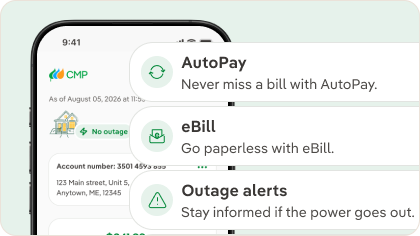
With our brand‑new dashboard, you can easily view your account balance, digital preferences and outage status—all in one place.
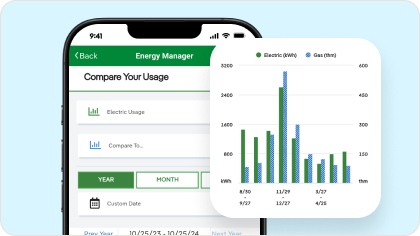
Energy Manager now in the app

With Energy Manager, you can track your electricity use down to the hour, see how your usage compares to similar homes and get personalized tips to reduce your usage.
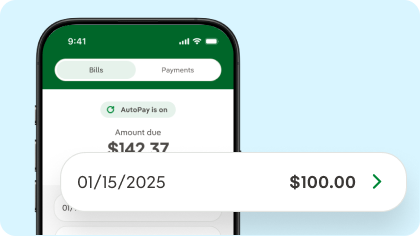
Billing and payments

Take a look at your bill and make payments directly from your phone. You can also enroll in eBill, Budget Billing and AutoPay straight from the app.
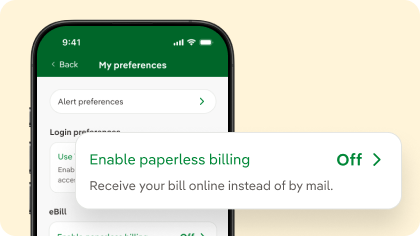
Account details and preferences

Check all your accounts details—yes, you can now easily manage all your accounts! You can also update your preferences, including Budget Billing, AutoPay and Alerts.
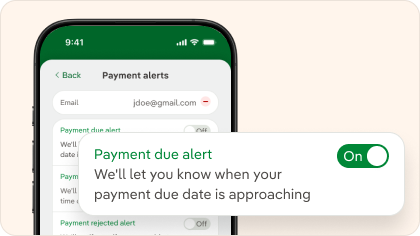
Enroll in Alerts

Enroll in our usage, outage and payments alerts and enjoy the peace of mind of always staying on track and informed.
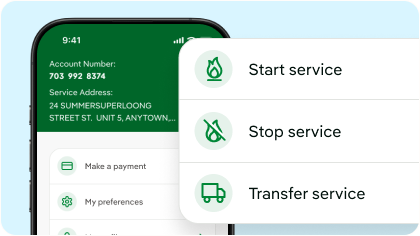
Manage your service

Start a new service, cancel or transfer your current in just a few steps.
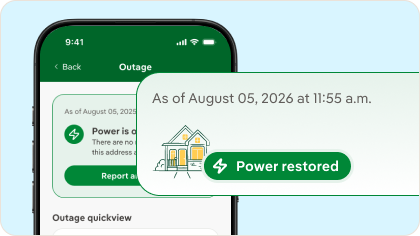
Outage Central

In the app, you can stay up to date with Outage Alerts and explore our outage lists and maps.

cmp app buttons

Download on the App StoreGet it on Google Play


Asset Publisher

Our mobile app can be downloaded and installed on your mobile device, while our mobile friendly website runs directly in the mobile browser on your smart phone or other mobile device. Both will allow you to access your account information, report an outage and contact us directly from your mobile device.

If you already have a My Account online profile, you can use your existing login and password to access the mobile app. If you do not have an online profile, you can create one by clicking “Need help logging in” on the Login page of the mobile app.

Simply search Central Maine Power in the App Store or in Google Play. IOS devices would use the Apple Store and Android devices would access through the Google Play app stores.

Most customers will have access to the mobile app if they have an online login; however, the mobile app is tailored for our residential customers.

The information you see in the mobile app is shown in real-time, so it's always accurate.

Our mobile app lets you access and manage your account information, make a payment and report an outage. 

Biometric login is a secure way to login to your account using Face or Touch ID, or Fingerprint Sign. This can be managed after you initially enter your password.

Our mobile app is completely free to download and install!

For Apple devices:

  • Requires iOS 12.0 or later.
  • Requires iPadOS 12.0 or later.
  • Requires MacOS 11.0 or later and a Mac with Apple M1 chip.
  • Compatible with iPhone, iPad, iPod touch, and Mac with Apple M1 chip.


For Android devices: 

  • Android 5.0 (Lollipop) and up